Under Construction
 |
 |
 |
02 - Installation
An installation on hard disk or on an SD card drive is more than recommended if not a necessity.
02.01 - AKAINOID Files
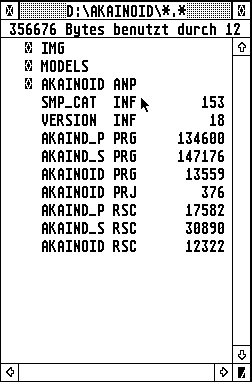
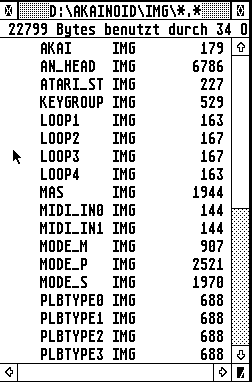
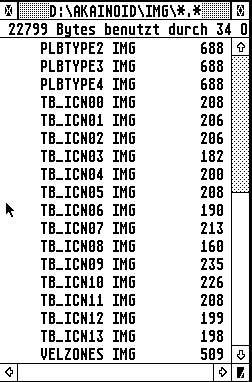
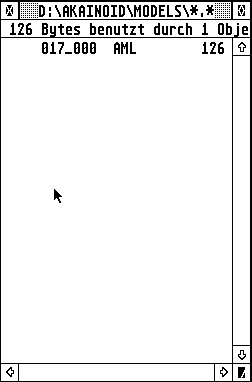
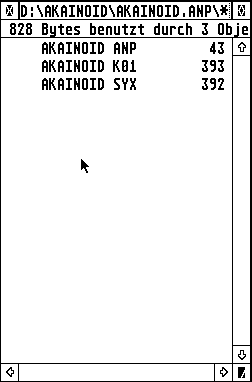
AKAINOID itself by now consists of the following subdirectories and files:
|
|
|
| Akainoid Work Directory | Subdirectory IMG #1/2 | Subdirectory IMG #2/2 |
|
|
|
| Subdirectory MODELS | Subdirectory AKAINOID.ANP |
in a folder called AKAINOID, which might actually be compressed to a .ZIP or an .LZH archive. Unzip or copy this program folder to your hard disk directory of choice. Please note, that file sizes, shown in the screenshots above, might actually differ from yours depending on the precise AKAINOID version.
As I thought, it actually is a bit of work converting your own samples to .AIF and getting them onto the Atari, I added an extra folder called SAMPLES to the downloadable archive containing some punchy 44100Hz, 16Bit Mono samples of a basic, very 80s drum machine sound set, so you can instantly start checking out the application.
NOTE:
In the Downloads area there is are a couple of additional .ST floppy images containing:
- STZip v.2.0 for extracting .ZIP archives
- LHarc v3.10 for extracting .LZH archives
- XBoot v.3.21 - Boot Manager
- Everest v3.5E - Text Editor
- qed v3.97 - Text Editor
IMPORTANT:
If there should be a file called AKAINOID.INF in the program folder, make sure you delete it! This file will most likely freeze the Atari when you run the application for the first time.
|
|
|