Under Construction
 |
 |
 |
05.04 The Velocity Zones Editor
You open the Velocity Zones Editor by [Ctrl]-clicking a keygroup or by clicking the vertical lettering in the Keygroup/Zone Editor. It then replaces the Key Mapping Editor. You return to the Key-Mapping editor by clicking the closer button on the left of the window's title bar.
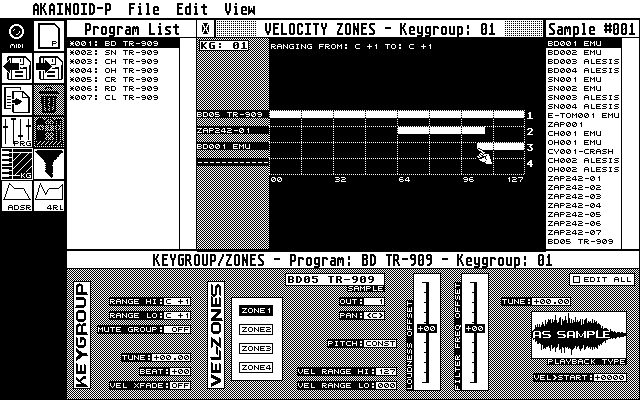
You will face up to 4 white bars representing the velocity ranges of the active Zones. Move the mouse pointer to the left or right end of such a bar and it will change to a pointing hand. If you click and hold the left mouse button now, you can alter the bar's size until you release the button. Down in the Keygroup/Zone Editor values are updated accordingly.
|
|
|